For farm workers
Two big buttons. Works with no signal. In your language.
This page is for farm workers. FieldSafe shows your work for today on your phone. You tap, answer with pictures, and it is saved. It works with no signal, in English or Afrikaans.
Managers: show this page to your team. It explains the phone screens in plain words. Lees dit in Afrikaans.

Start here
Two big buttons
My work
Your jobs for today.
Tap a job to start.
Problem
Something is wrong?
Tap Problem. Tap a picture.
My work
Do a job in four taps
Every kind of work has its own picture and colour.
- 1
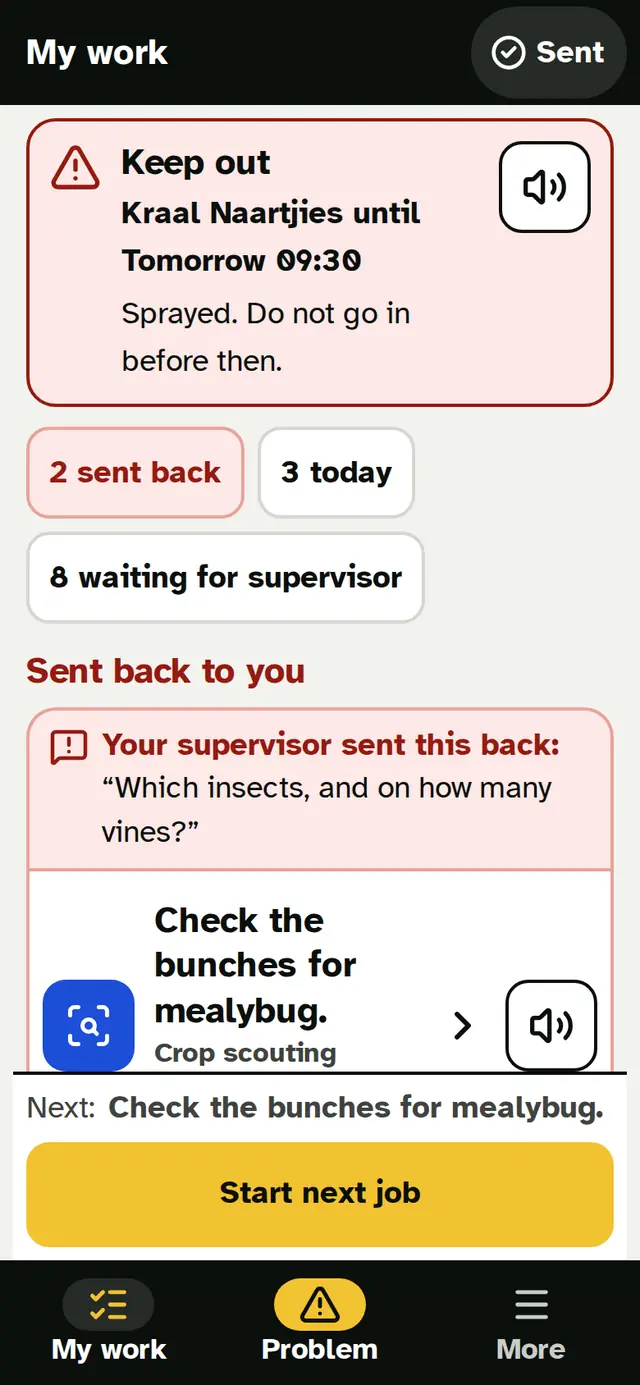
Tap My work
You see your jobs for today. Work sent back to you is at the top.
- 2
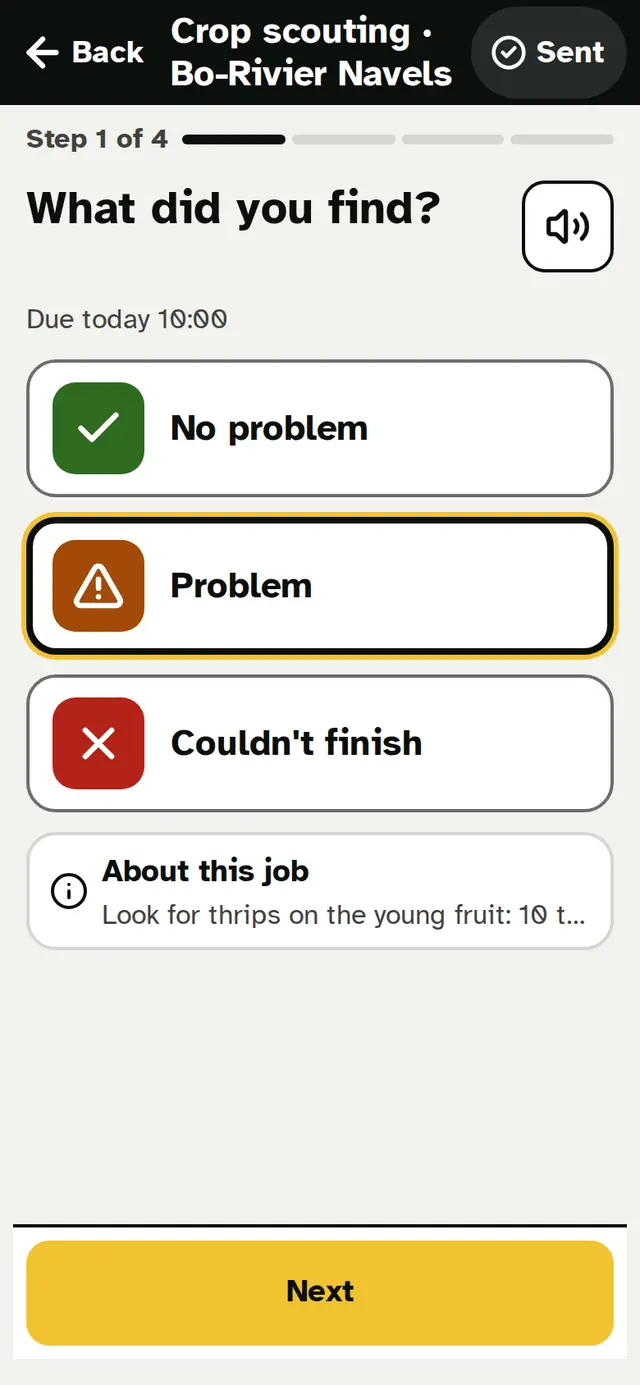
Tap your job
The phone asks one question at a time. Tap the answer.
- 3
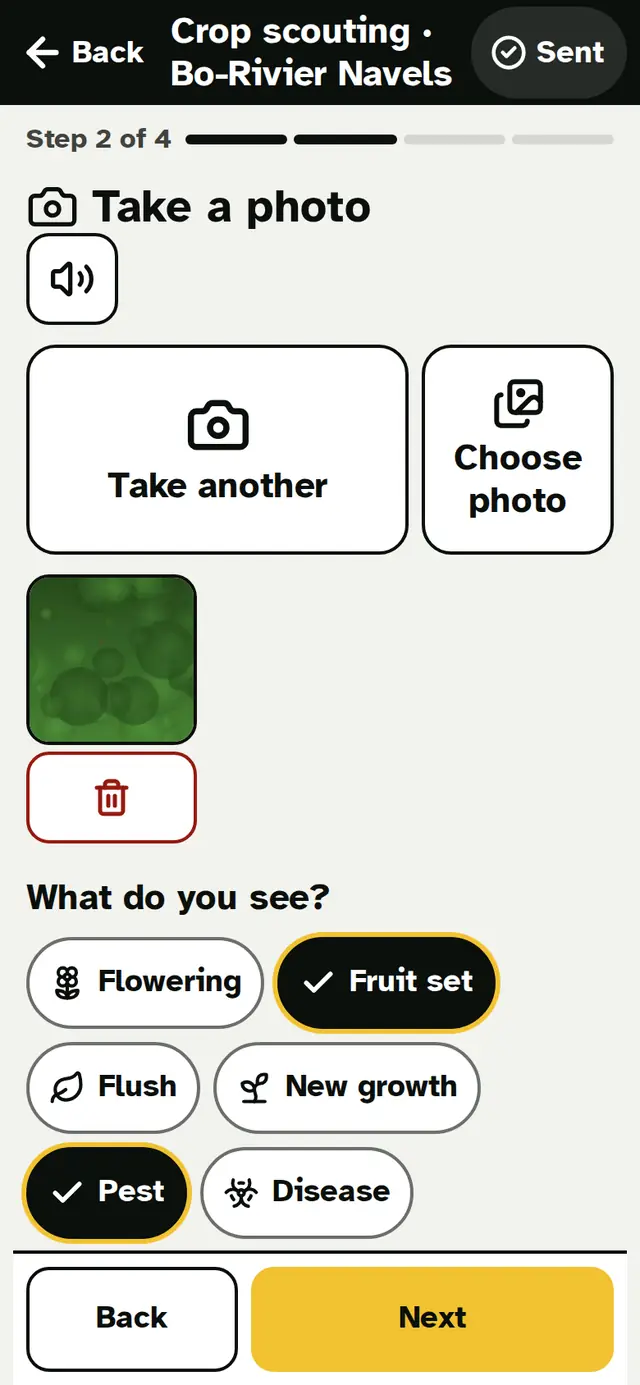
Take a photo
Only if the job asks for one. Point and tap.
- 4
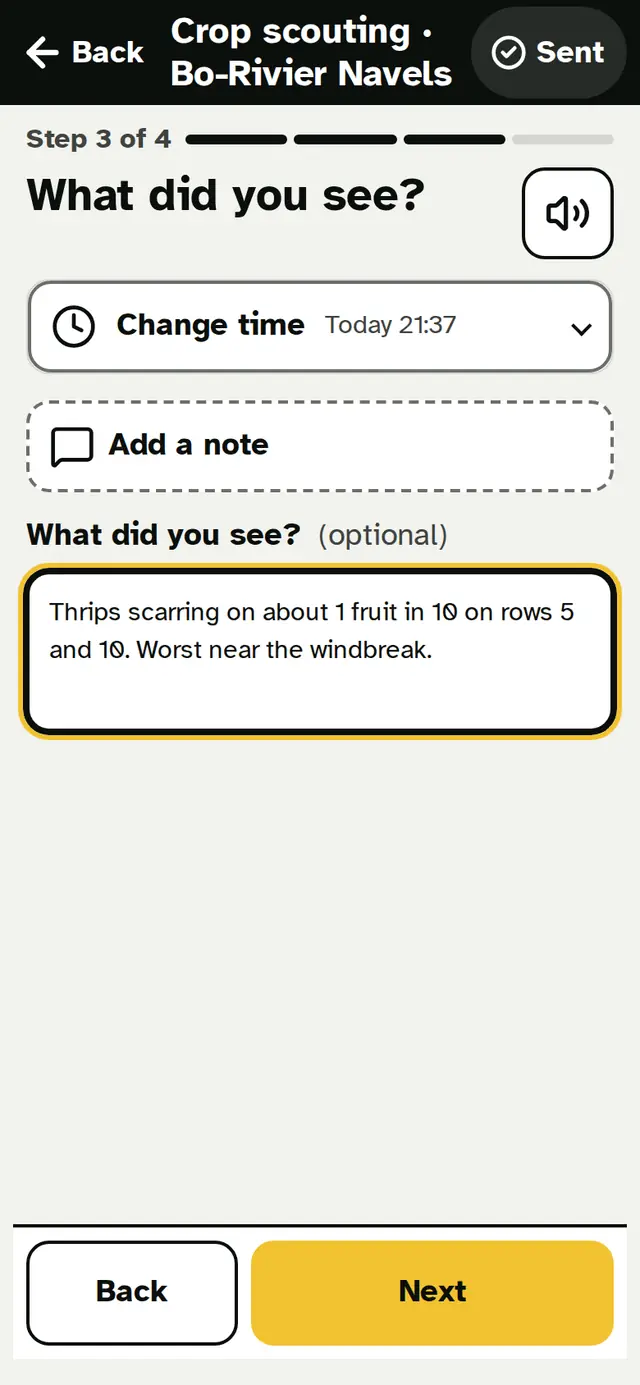
Say what you saw
Tap the picture that fits. Then send.


Made a mistake? Tap Fix this on your own work.
No signal?
Saved on this phone
No signal in the orchard? That is fine.
Do your job. Tap send.
Saved on this phone ✓
Your work waits on the phone. It sends itself when there is signal. You do nothing.

My week
See your own days, hours and bins
You see the days you worked, your hours and your bins. Every day is listed.
Tap the speaker and the phone reads it out.


Problem
Something wrong? Tap Problem.
Tap the picture: a spill, a fire, storm damage, a broken machine.
Take a photo.
The phone sends where you are standing. The farm sees it.
Someone is hurt
Tap Someone is hurt.
Big buttons call for help:
- 112 emergency
- 10177 ambulance
- The farm's own numbers
- Your team leader and the office
This screen records nothing. Do not wait. Just call.
Stay safe
Red Block? Keep out.
Open the map on your phone.
A red Block was sprayed. Do not go in.
Keep out until 14:00
The time shows when it is safe to go back in.
Finished spraying? Tap Spraying finished. Your supervisor gets a message.


Your language
English or Afrikaans. You choose.
Tap the buttons to see the same screen in both.
You pick your language. Your manager can pick another one.
The phone can also read the screen out loud.
A day with Thandi
Thandi's morning
- Thandi works on a macadamia farm near Tzaneen. She opens FieldSafe in Afrikaans.
- My work says: Irrigate Block 5, 40 minutes.
- There is no signal at Block 5. She records 40 minutes. The phone says: Saved on this phone.
- On the map, Block 2 is red: Keep out until 14:00. She stays out.
- Later she sees fuel on the ground. She taps Problem, then Spill, then Fuel. She takes a photo. Done.
Thandi is made up, to show how the day works.
How do I get it?
Your manager gives you a QR code. Scan it with your phone. You do not need an email address or the app store.
FAQ
Questions about the worker screens
Does it work without signal in the orchard?
Yes. Recording work, completing jobs, trap and rain readings, team records, problem reports and photos all work with no signal. Work is saved on the phone and sends itself when there is signal, and the map keeps working from GPS and your saved Blocks.
Planning, satellite pictures and some look-ups need a connection. How offline works.
Do my workers need to download an app from the Play Store?
No. FieldSafe is a web app that installs from the browser ("Add to home screen") on Android and iPhone. Workers can join by scanning a QR code, and they don't need an email address. How to add it to a home screen.
Is FieldSafe in Afrikaans?
Yes. Every screen, notification and invitation is available in English and Afrikaans, and each person chooses their own language. Text your farm types, such as Block names and notes, stays as written. Lees meer in Afrikaans.
What if a worker can't read well?
Worker screens are task-first: two big buttons (My work and Problem), pictures for every kind of work, big tap targets, read-aloud and a high-contrast outdoor display. Reporting a problem uses picture tiles. See the worker screens.
What happens when someone is hurt?
Every phone has a Someone is hurt screen with call buttons for 112 and 10177, the farm's own emergency numbers, the team leader and the office. It records nothing, so nobody hesitates. Incidents and safety.
What is a re-entry interval (REI)?
The REI is how long people must stay out of a sprayed area, as set on the label. FieldSafe shows "Keep out until…" on the Block, the map and the worker's phone, from the re-entry hours your farm records. PHI and REI explained.
Early access
Managers: give your team two big buttons.
FieldSafe is in early access. Join, and we help you invite your team with a QR code and try it on their own phones.